Last Updated: 3/9/2026
Trash - LinkAce
LinkAce Menu
Menu
- RSS Feeds v2
- Adjusting the Database Collation v2
- The Dashboard v2
- Third-Party Tools and Libraries v2
- LinkAce Setup v2
- Setup without Docker v2
- Advanced Settings v2
- Upgrade from LinkAce v1 v2
- General v2
- Trash v2
- User API Tokens v2
- Export v2
- CLI Commands for LinkAce v2
- Post-Setup Steps v2
- About the Application v2
- Setup with Docker v2
- Links v2
- Setup with Helm (Kubernetes) v2
- Lists v2
- System Settings v2
General
LinkAce Translations LinkAce v2 Changelog Third-Party Tools and Libraries Troubleshooting
LinkAce Setup
LinkAce Setup Setup with Docker Setup with Helm (Kubernetes) One-Click-Deploy to the Cloud Setup without Docker Post-Setup Steps Adjusting the Database Collation
LinkAce Upgrade guide
LinkAce Upgrade guide Upgrade from LinkAce v1
About the Application
The Dashboard Links Link Checks Lists Tags Advanced Search Bookmarklet RSS Feeds Trash
Configuration of LinkAce
Import Export User Settings User API Tokens System Settings System API Tokens User Management SSO (Single-Sign-On) with OAuth or OIDC Application Backups Advanced Settings
CLI Commands for LinkAce
API
Found a typo or want to add something? Edit this page on Github .
Trash
Table of Contents
There should never be the situation where data is lost by mistake. That’s why everything in LinkAce will not be deleted permanently when deleting it from the interface. Instead, the entry (be it a link, tag or category) is moved to the trash. You can access the trash trough the menu bar by clicking on the trashcan.
 Restoring elements from the Trash
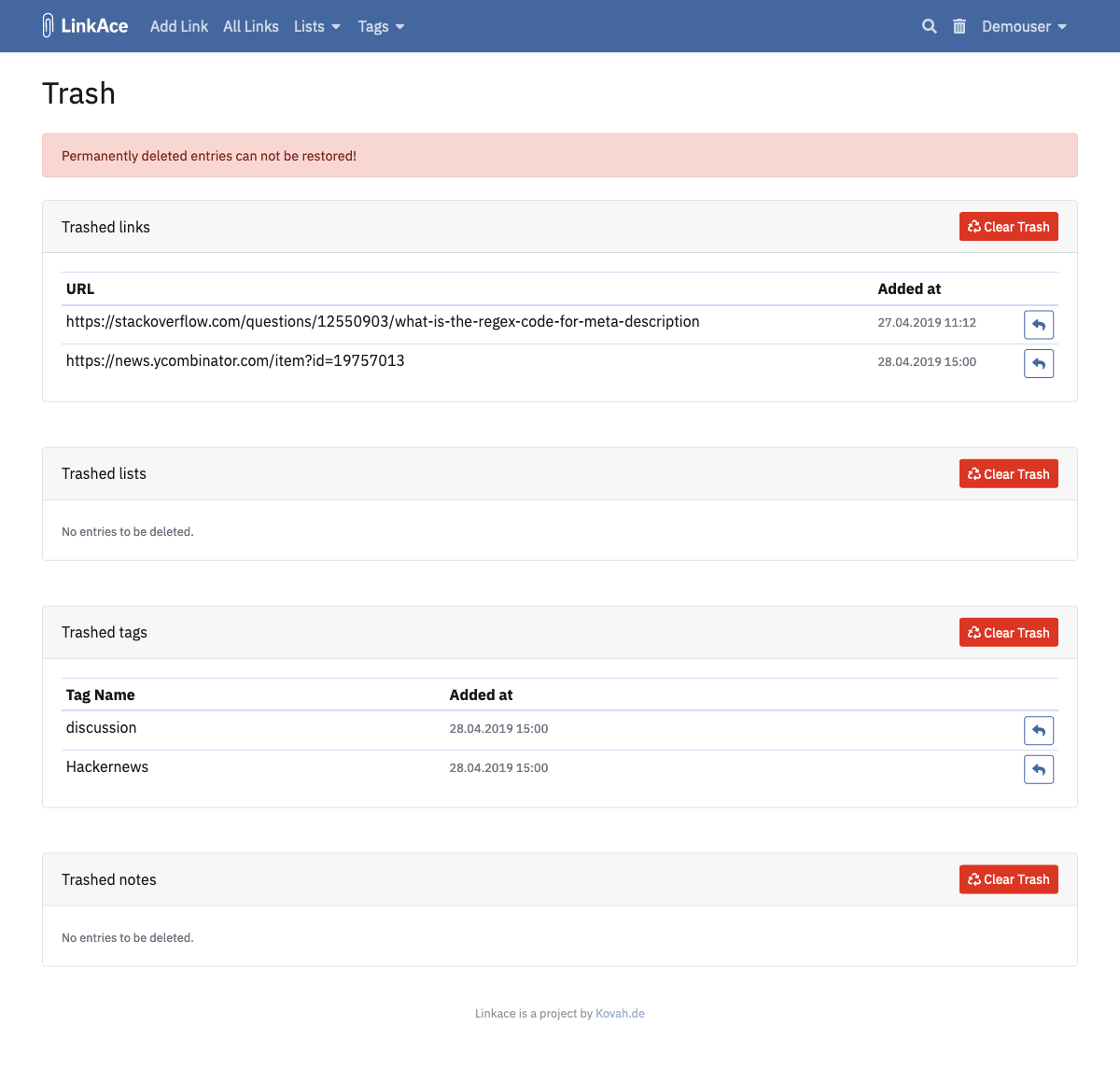
While on the trash overview, you can restore entries from it. Click the back arrow button beside the entry you want to restore.
Permanently deleting entries (clearing the trash)
By clicking on the red, dangerously looking “Clear Trash” button, you permanently delete all entries for the corresponding table. As a security measurement, there is no “Clear everything” button. Just to make sure no accidents will happen.
When deleting items permanently, they are really permanently deleted. You won’t be able to recover them if you have no backups of your data!
Table of Contents

© 2026 LinkAce &Kovah.de
LinkAce is powered by
Get 20€ when you sign up using our friends link .